
There’s a moment that a lot of people in tech can point to, almost like a “where were you when” kind of memory. For some it was the first time they watched a Figma file open instantly in Chrome without installing a single thing. For others it was the moment they realized they’d gone three months without opening Microsoft Word. For me, it was watching a non-technical friend build a working customer intake form, complete with logic branching and email triggers, entirely inside a browser tab powered by an AI assistant, while casually eating lunch.
She didn’t think anything of it. That’s the part that stuck with me.
She wasn’t a developer. She had no idea what an API was. She just typed what she wanted, the AI asked a few clarifying questions, and the thing existed. No downloads. No tutorials. No $300 annual license. Just a browser, a prompt, and twenty minutes.
That quiet, casual moment is happening millions of times a day right now, and the implications for the software industry are more significant than most headlines are giving it credit for. We’ve spent two years talking about AI chatbots and image generators as novelty tools, side features, add-ons. But something structurally bigger has been happening underneath all of that noise. Browser-based AI is not just augmenting traditional software anymore. In a growing number of use cases, it’s replacing it outright, and it’s doing so in the most dangerous way possible for incumbents: so gradually and conveniently that most users don’t even notice the switch happening.
To understand why this shift feels so sudden, you have to remember just how normalized friction became in the software era.
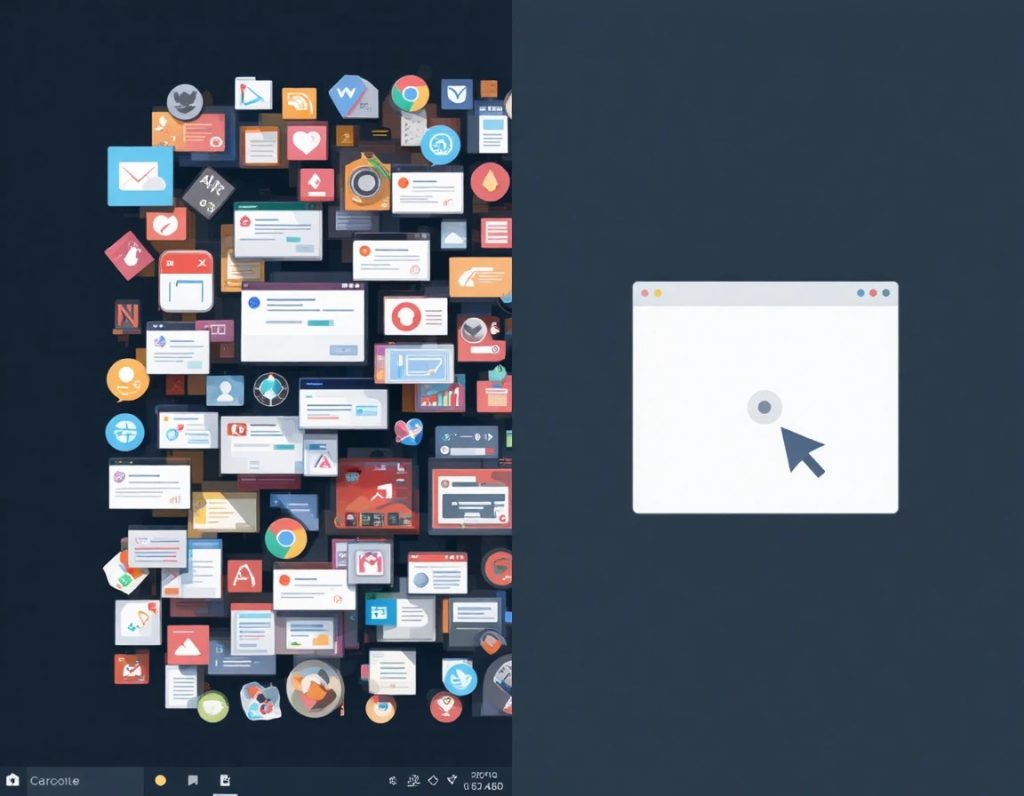
For decades, the entire model of software distribution was built on the assumption that capability required installation. You needed the program on your machine. You needed the right operating system version. You needed enough disk space, enough RAM, and enough patience to sit through a setup wizard that asked you questions you didn’t understand. Enterprise software added layers of IT approval processes, license key management, and version control headaches that turned what should have been a simple tool into a multi-week procurement project.
We adapted to all of this. We called it “onboarding.” We wrote help documentation for it. Companies built entire job categories around managing it.
The web chipped away at this slowly. Google Docs proved that word processing could live in a browser. Salesforce proved that CRM could too. The SaaS wave of the 2010s took most productivity software and moved it online, which solved the installation problem and created a new one: subscription fatigue and feature sprawl. The tools got more powerful and more expensive, and they kept adding features to justify price increases, until the average mid-size company was paying for seventeen different SaaS subscriptions, many of which overlapped and none of which talked to each other cleanly.
Then AI arrived, and it didn’t play by anyone’s rules.
What makes browser-based AI fundamentally different from regular web apps isn’t just that it runs in a browser. It’s that it collapses the gap between “knowing what you want” and “getting it done.” Traditional software, even good SaaS software, is built on the assumption that users will learn the interface. There are menus, settings, workflows, keyboard shortcuts, and an implicit contract that says: you bring the intent, we’ll give you the tools, and somewhere in between you’ll figure out how to translate one into the other.
AI breaks that contract. Or more accurately, it fulfills a better version of it. You bring the intent, AI figures out the translation layer itself. The interface becomes almost irrelevant because the AI is, in a sense, the interface.
Let’s be precise here, because this term is doing a lot of work.
When people say browser-based AI, they’re talking about a spectrum of things. On one end, you have AI-enhanced web applications: tools like Notion AI, Google Workspace’s Gemini integration, or Canva’s AI design features. These are familiar software products that have added AI capabilities on top of existing interfaces. They’re valuable, but they’re evolutionary, not disruptive.

On the other end of the spectrum, you have something more interesting: AI-native browser tools that don’t really have a traditional software analog. Think about what’s happening with tools like Claude, ChatGPT, Perplexity, and newer entrants that are being used not just for conversation but as actual working environments. People are using them to draft legal documents, write and debug code, analyze financial statements, create marketing campaigns, plan projects, and process data, all without ever leaving a browser tab.
Then there’s a third category that’s emerging and growing fast: agentic browser AI. This is where things get genuinely strange and genuinely interesting. These are systems where the AI doesn’t just respond to your requests inside its own interface but actually operates the browser itself. It navigates to websites, fills out forms, reads content, takes actions. Anthropic’s Claude now has a computer use feature. OpenAI has been building toward similar capabilities. Google’s Project Mariner was an early exploration of this. Startups like Multion, Proxy, and a dozen others are building on top of these foundations.
The practical implication is that the browser is no longer just a window to web content. It’s becoming a runtime environment for AI agents that can use the web the same way a human employee would. That’s a genuinely different thing than anything we’ve had before.
But you don’t have to go all the way to autonomous agents to see the disruption in motion. The more mundane version, AI tools in browsers replacing specific software use cases, is already well underway and deserves more attention than it gets.
There’s a category of software that gets almost no press coverage but represents an enormous amount of enterprise spending: the “specific task” app. I’m talking about tools like grammar checkers, basic image editors, PDF annotators, simple data visualization tools, meeting transcription services, form builders, basic project trackers, and dozens of others.
These are not glamorous products. Nobody is writing breathless profiles of the CEO of a PDF annotation startup. But collectively, this category represents billions of dollars in annual software spend, and it is being quietly consumed by general-purpose AI tools running in browsers.
Consider grammar and writing assistance. Grammarly built a genuinely impressive business by solving a real problem, helping people write more clearly. At its peak it was valued at over $13 billion. But here’s the thing: every major AI assistant now writes, edits, rewrites, and improves prose better than Grammarly does, and it does it as a side feature, not a primary product. A user who’s already using Claude or GPT-4 for other work tasks has very little reason to pay separately for a grammar checker. The use case has been absorbed.
The same dynamic is playing out with basic data analysis. Tools like Tableau and Power BI are powerful, genuinely powerful, and the top end of their capability is not being threatened yet. But the bottom 40% of their user base, people who needed them for basic chart creation, simple trend analysis, and digestible data reports, those users are increasingly just uploading a spreadsheet to an AI chat interface and asking for what they need. No dashboards to configure. No chart types to choose from a dropdown. Just “here’s my sales data, tell me what’s interesting and show me a chart of quarterly revenue.”
Or think about what’s happening to basic coding tools for non-developers. Platforms like Bubble and Webflow built interesting businesses around no-code and low-code app building. They’re still valuable. But a growing segment of users who would have gone to those platforms are instead going directly to browser-based AI and building simple automations, scripts, and lightweight applications through natural language. The AI writes the code; the browser runs the result.
This is the pattern: AI-native browser tools are absorbing the bottom and middle tiers of dozens of software categories simultaneously. Not by building competing products, but by making the underlying task easy enough that dedicated software feels like overkill.
Here’s a question worth sitting with for a moment: of all the possible delivery mechanisms for AI, why did the browser win?
It didn’t have to go this way. You could imagine an alternate timeline where AI capabilities were delivered primarily through native desktop apps, or through deeply embedded OS-level features, or through specialized hardware devices. Microsoft tried the OS angle aggressively with Copilot’s deep Windows integration. Apple is pushing AI into the operating system layer with Apple Intelligence. There are smart devices, earbuds with AI assistants, and purpose-built AI hardware like the Rabbit R1 and Humane AI Pin, both of which launched with serious ambition and stumbled badly in execution.
And yet, through all of this experimentation, the browser kept winning. Not because anyone planned it that way, but because a browser is the one surface that every person with internet access already has, already understands, and already trusts with their most important work.
The fact that a browser-based AI tool requires no installation sounds like a minor convenience. It isn’t. It’s a distribution superpower.
Traditional software has what economists would call high switching costs built into the acquisition process itself. Before you’ve even used the product, you’ve invested time installing it, setting up an account, maybe watching an onboarding video, and configuring preferences. That investment creates a psychological lock-in. You feel like you’ve committed to the product before you’ve evaluated it. And because the setup cost was real, you’re motivated to make the tool work even when it’s not quite right for you, because the alternative is admitting you wasted your setup time.
Browser-based AI has essentially zero acquisition friction. You open a tab, you type, you get value. If it doesn’t work for you, you close the tab and try something else. There’s no sunk cost. There’s no uninstallation process. There’s no folder sitting on your desktop reminding you that you paid for something you’re not using.
This sounds like a trivial UX detail. But at the scale of millions of users making software decisions, it’s the difference between products that get genuinely evaluated on merit and products that get kept out of inertia.
There’s another browser advantage that’s easy to underestimate: your browser follows you everywhere.
Ten years ago, the idea that your work environment would be perfectly consistent whether you’re on your work laptop, your home desktop, or your phone was a novelty. Now it’s an expectation. Browser-based tools are native to this model. Your chat history, your documents, your AI-generated outputs, they’re all accessible from any device with a browser, with no sync setup, no cloud configuration, and no “this feature is only available on desktop” limitations.
Native desktop software has been playing catch-up on this for years with mixed results. Adobe spent enormous resources building Creative Cloud sync. Microsoft built OneDrive deeply into Windows. These are good solutions, but they’re complicated solutions to a problem that browser-based tools don’t have in the first place.
For AI tools specifically, this matters even more, because AI interactions are inherently stateful. The context you’ve built up with an AI assistant, the way it’s come to understand your writing style, your project context, your preferences, is something you want to carry with you. Browser-based AI tools deliver that continuity by default.
There’s a counterintuitive thing that happened in enterprise software over the past decade. IT security teams, who spent years pushing people toward on-premise software as the “safer” option, gradually lost that argument as browser-based tools became more secure than the average corporate endpoint.
Modern browsers have sandboxing, automatic security updates, built-in malware protection, and the full resources of Google, Mozilla, or Apple behind their security architecture. A lot of legacy enterprise software running on Windows desktops in corporate environments is, from a security standpoint, far more vulnerable than a well-maintained browser session with a reputable cloud service.
This shift in the security calculus opened a door that was previously shut tight. Enterprise IT departments that would have reflexively blocked browser-based productivity tools five years ago are now approving them, sometimes more readily than they approve new native software installations. And once the enterprise gates opened even slightly, browser-based AI tools flooded through.
The SaaS pricing model that dominated the 2010s was built on a simple principle: charge per seat, per month, and justify the recurring cost with continuous feature updates. It worked beautifully for a decade. Companies like Salesforce, HubSpot, Atlassian, and Zendesk built enormous businesses on this foundation.

The logic held as long as software remained specialized. If you needed CRM, you bought Salesforce. If you needed project management, you bought Jira or Asana. Each tool had a defined job, a defined user base, and a justifiable price point.
AI is wrecking this logic in two ways simultaneously.
First, general-purpose AI tools are increasingly capable of handling the core tasks that specialized SaaS tools were built for, without the specialization. A capable AI assistant can draft your CRM follow-up emails, update your task list, generate your project status report, and answer your customer support queries, not as well as a purpose-built tool optimized for each task, but well enough for a large percentage of users who were paying for that specialized tool anyway.
Second, and this is the sharper blade, AI tools are priced as utilities, not as per-seat software licenses. You pay for usage, or you pay a flat monthly subscription that covers a very wide range of tasks. The math for a company comparing a $30/user/month AI subscription against five separate SaaS tools averaging $15/user/month each is not complicated.
The most valuable, deeply integrated enterprise software, think Salesforce at full deployment, SAP running supply chain operations, or Workday managing HR for a 50,000-person company, is not being threatened by browser-based AI today. These systems have years of customization, data, and workflow logic baked into them. They’re sticky in the most fundamental way possible: replacing them would cost more than keeping them, by a lot.
But here’s what is happening at the top end: these vendors are racing to add AI capabilities directly to their platforms, partly to deliver genuine value and partly to justify existing price points. Salesforce has Einstein AI woven throughout its products. Microsoft 365 Copilot is deeply embedded in Word, Excel, and Teams. HubSpot’s AI features are increasingly central to its pitch.
The message is clear: if you already have us, you don’t need a separate AI tool. The incumbents are trying to make themselves the AI layer before an external AI layer makes them irrelevant.
The bottom of the market is a different story and a more immediately dire one for a lot of software companies.
Small business software, the stuff that solo operators and small teams use to run the administrative parts of their work, is getting hollowed out fast. Basic invoicing tools. Simple project trackers. Lightweight CRM spreadsheets people were finally ready to graduate from. Appointment schedulers. Client onboarding flows.
A business owner who is already using ChatGPT or Claude for their communications is one good prompt away from building a workable version of several of these tools themselves. Not a perfect version. Not a scalable enterprise version. But a version that’s good enough for a ten-person operation, that costs nothing extra, and that lives right there in the browser they have open all day anyway.
This is where the quiet displacement is loudest. Not in the news, not in the analyst reports, but in the actual renewal decisions of small businesses looking at their software stack and asking a simple question: do I still need this?
Software companies have historically been protected by a quality gap. Even when a cheaper or simpler alternative existed, the best tool for a specialized job was clearly better, and users who needed that quality paid for it.
AI has a complicated relationship with “good enough” because it’s simultaneously imprecise and remarkably capable. An AI won’t reliably format a legal contract with the precision of purpose-built legal document software. But it might write 80% of that contract well enough that a small law firm starts questioning whether they need the specialized tool for the other 20%.
The “good enough” threshold varies enormously by user and use case. For a freelance designer who needed a simple invoice tool, AI is already past the threshold. For a CFO managing financial close processes, it’s nowhere close. The disruption is not uniform, and that unevenness is actually what makes it dangerous for incumbents: it’s very hard to defend a market when the attacks are coming from fifteen different angles at different levels of intensity simultaneously.
There’s a secondary effect of the “good enough” dynamic that doesn’t get discussed enough: the AI browser environment is creating a new class of software builder.
Before AI, there was a fairly clear line between “someone who uses software” and “someone who builds software.” The no-code movement tried to blur this line with partial success. AI has blurred it in a much more fundamental way.
When a marketing manager can open a browser, describe the custom reporting dashboard their team needs, and have a functional version running within an hour, they don’t need to file a ticket with the engineering team or evaluate a new SaaS vendor. They just built their own solution. It lives in the browser. It uses AI to stay updated. It cost them an hour of their time.
This is happening in pockets everywhere. Legal teams building their own document review workflows. HR managers building custom applicant screening tools. Finance teams building bespoke analysis environments. None of these would have been classified as “software development” six years ago, but that’s effectively what they are. And all of it is happening inside browsers, powered by AI, without a single software vendor getting paid.
Every time a user pastes a sensitive document into a browser-based AI tool, a quiet risk decision gets made. Sometimes that decision gets made consciously, by an IT policy or a legal review. More often it gets made by an individual, in a browser tab, at 3pm on a Tuesday, because they need to get something done.
This is one of the genuine tensions in the browser-based AI story. The convenience that makes these tools so effective is inseparable from the data exposure that makes security teams nervous.
Large organizations are handling this in one of three ways right now.
The first approach is prohibition, which does not work. Telling knowledge workers they can’t use AI tools in their browsers is roughly as effective as telling them they can’t use Google at work. It pushes usage underground and creates shadow IT at scale.
The second approach is managed access: approved tools, approved use cases, sometimes private cloud or on-premise deployments of AI models. This works better but adds friction and creates a two-tier experience where the approved tools are often less capable or less current than what people are using at home.
The third approach, which the more sophisticated organizations are moving toward, is governance rather than restriction. Building policies around what kinds of data can be used with which AI tools, training employees to make those distinctions intelligently, and treating AI tool usage the way you’d treat internet usage generally: not blocked, but monitored and governed.
The third approach is the right one, but it requires organizational maturity that a lot of companies don’t have yet. In the meantime, sensitive data is flowing into browser-based AI tools at a scale that would make most security officers uncomfortable if they fully understood it.
Here’s a tension that runs in the other direction and deserves equal attention: browser-based AI is doing something genuinely democratizing, and the software industry’s disruption is partly someone else’s opportunity.
For the first time in the history of computing, sophisticated software capability is accessible to anyone with a browser and an internet connection. You don’t need to afford a $500 annual Photoshop license to do competent image editing. You don’t need to know Excel formulas to do meaningful data analysis. You don’t need coding skills to build a functional tool for your workflow.
The implications for economic access are significant. A small business owner in a developing market who couldn’t justify enterprise software costs can now operate with capabilities that were previously reserved for well-resourced organizations. A student who can’t afford professional creative tools can produce work that competes with people using industry-standard software.
This is genuinely good. The fact that it also happens to be disruptive to existing software business models doesn’t make it less good. Both things can be true.
The software industry has survived disruption before. It survived the shift from packaged software to SaaS. It survived the move from desktop to mobile. Each time, the incumbents who adapted early enough came out stronger, and the ones who treated the new model as a temporary inconvenience paid for that complacency with market share, valuation, or their existence entirely.
This moment feels different in degree, if not entirely in kind. The browser-based AI shift is not replacing one delivery model with another. It’s replacing the fundamental assumption that capability requires a dedicated product. And that’s a harder thing to adapt to, because it attacks the justification for your product’s existence, not just the way it’s delivered.
Still, the future is not simply “AI eats everything.” The reality is more textured than that, and understanding the genuine limits of browser-based AI is just as important as understanding its momentum.
Browser-based AI tools are remarkably capable, and they’re getting better at a pace that makes historical software development look leisurely. But capability has a ceiling, and that ceiling shows up in predictable places.
Complex, regulated workflows are the clearest example. A browser-based AI can draft a contract, but it cannot replace the workflow infrastructure that a law firm needs to manage hundreds of contracts across dozens of clients, track revisions with legal-grade audit trails, manage signatures, and integrate with court filing systems. The AI handles the language. The software handles the system. Those are different problems, and conflating them is a mistake.
Medical software is another category where the limits show up fast. An AI can interpret a lab result conversationally, sometimes impressively well. It cannot replace the clinical information systems, the EMR integrations, the HIPAA-compliant audit infrastructure, and the workflow management that a hospital actually runs on. The regulatory environment alone creates a moat around specialized medical software that general-purpose browser AI is nowhere near crossing.
The same logic applies to financial systems, manufacturing software, supply chain management, and any domain where the software isn’t just doing cognitive tasks but is deeply woven into operational and compliance infrastructure. These categories represent a huge portion of total enterprise software spend, and they are not going anywhere because a chatbot can write a good summary.
What this means practically is that the disruption is real but bounded. Browser-based AI is consuming the edges, the general-purpose tools, the task-specific utilities, the bottom and middle tiers of productivity software. The deep, integrated, mission-critical systems at the core of large organizational operations are much more durable. The middle ground, functional SaaS tools with moderate integration depth and clear but limited job scope, is where the most interesting battles are happening right now.
There’s a specific limitation of AI that doesn’t get enough honest attention in the general discourse around AI replacing software: reliability is not the same as capability.
A browser-based AI tool might handle a given task brilliantly ninety-five percent of the time. For many personal or low-stakes professional tasks, a 95% success rate is more than acceptable. You proofread the AI’s work, you verify the output, you catch the occasional error. It’s still faster than doing the task yourself, even accounting for the checking.
But there are contexts where that five percent failure rate is completely unacceptable. Financial calculations where errors have regulatory consequences. Medical information where a plausible-sounding wrong answer causes real harm. Legal documents where a subtle misstatement creates liability. Code running in production systems where a bug causes downtime.
Traditional specialized software, when it works, works deterministically. The same input produces the same output, every time, reliably. AI doesn’t work that way. It’s probabilistic, and while the probabilities are increasingly favorable, probabilistic tools and deterministic requirements are a bad match. This isn’t a solvable problem in the short term. It’s a fundamental characteristic of how large language models work, and it represents a genuine, durable protective moat for specialized software in high-stakes domains.
The honest answer to “how should traditional software companies respond to browser-based AI” is not a comforting one. There is no single strategic move that insulates an established software product from this shift. But there are a set of responses that represent the difference between companies that navigate this well and companies that don’t.
The first and most important response is to stop treating AI as a feature to add and start treating it as an architecture to adopt. There’s a meaningful difference between bolting an AI assistant onto an existing product and rebuilding the product’s interaction model around AI-native workflows. Most incumbents are doing the former, because it’s faster and less risky. The companies that do the latter will build something that the bolt-on approach can never match: a product where AI isn’t a layer on top of the interface but is the interface.
The second response is to double down on the things AI genuinely cannot do well: deep integration, auditability, compliance, and workflow infrastructure. These are the moats that remain defensible, and they’re the moats that the best enterprise software companies are quietly fortifying right now. Salesforce isn’t competing with ChatGPT on conversation quality. It’s competing on data depth, workflow automation, CRM integration, and enterprise compliance, none of which browser-based AI can replicate without becoming, effectively, Salesforce.
The third response is harder to execute but arguably the most important: get to the data layer first. The companies that will survive and thrive in an AI-saturated market are the ones that hold the authoritative, high-quality, domain-specific data that AI needs to be truly useful in professional contexts. A general AI tool is only as good as what it knows. A specialized tool trained on, or deeply integrated with, rich domain data has a quality advantage that compounds over time. The companies that understand this are building data moats aggressively. The ones that don’t are discovering that their interface advantage was always more fragile than they thought.
There’s something in this story that the technology analysis tends to skip over, because it’s harder to quantify and doesn’t fit neatly into market share projections. It’s about how people actually relate to tools, and what changes when tools become this frictionless.
For most of computing history, learning a piece of software was a real investment. You took a course, watched tutorials, practiced, made mistakes, and eventually developed fluency. That fluency became part of your professional identity. “I’m a Photoshop person.” “I live in Excel.” “I’ve been using Vim for fifteen years and I’m not stopping now.” Tools became part of how people described their own skills and value.
Browser-based AI disrupts this identity layer in a subtle but significant way. When the tool adapts to you rather than the other way around, the learning curve flattens to near zero. That’s obviously convenient. But it also means that the deep, hard-won fluency that used to differentiate skilled professionals is less of an advantage. Someone who spent years mastering Final Cut Pro has a real competitive edge over someone who just opened the app. Someone who has used an AI video editing tool for a week might produce results that are 70% as good as the expert, without the years of practice.
This is a net positive for access and productivity. It is a genuinely complicated thing for skilled professionals whose identity and competitive value was partly built on tool mastery. The people having the hardest time with this shift, emotionally and professionally, are often not the least skilled workers but the most skilled ones, the people who built their expertise around deep tool knowledge that is now being partially commoditized.
The skills that retain value in this environment are the ones AI cannot replicate: judgment, taste, domain knowledge, the ability to ask the right question rather than just answer it, and the capacity to evaluate AI output critically. These are, not coincidentally, the skills that are hardest to teach and hardest to credential. The shift rewards a kind of expertise that is real but diffuse, and the professional world is still figuring out how to recognize and value it.
There’s one more behavioral dimension worth naming: browser-based AI is changing where people spend their cognitive attention during a workday.
Traditional software demanded that you learn its logic. The tool had a structure, and your job was to understand that structure and work within it. Browser-based AI inverts this. The tool learns your intent, and your job is to articulate that intent clearly. The primary skill shifts from “learning the tool” to “knowing what you want and being able to express it.”
That sounds straightforward. It isn’t. Knowing what you want, clearly enough to communicate it to a system that will execute it, is a genuinely demanding cognitive skill. It requires you to think in outcomes before you think in processes, which is a different cognitive mode than most software training encouraged. The professionals who adapt fastest to browser-based AI tools tend to be the ones who were always outcome-oriented rather than process-oriented. The ones who struggle are often the ones who were expert at the process but less fluent in articulating the underlying goal.
This is not a criticism. It’s a genuine transition cost that the industry and workforce development systems need to take seriously.
Step back far enough from all of this and a simple picture emerges. We are in the middle of a transition from a world where software was a set of products you acquired, learned, and used, to a world where software is increasingly an ambient capability you access through conversation, in a browser, on demand.
This transition is not complete. It won’t be complete for a long time. The transition from packaged software to SaaS took roughly fifteen years to reach maturity, and that was a less fundamental shift than this one. The move to browser-based AI will take years to fully play out, and the shape it ultimately takes will be determined by a thousand variables we can’t yet see clearly, regulatory decisions, model capability plateaus, new interface paradigms, enterprise adoption curves, and competitive dynamics that don’t yet exist.
But the direction is clear. And the clearest sign of that direction isn’t in the technology itself. It’s in the behavior of the people using it.
When non-technical users stop thinking of their browser as a place they go to access the internet and start thinking of it as the place where work gets done, the comparison point shifts. The question is no longer “which app should I use for this?” It’s “what do I want to accomplish?” That’s a profound cognitive shift, and it’s already happening in the behavior of millions of people who couldn’t articulate it in these terms but are living it every day.
The last app you’ll ever download might not be a dramatic moment. It might not feel like a milestone at all. It’ll probably just be a regular Tuesday when you realize you haven’t opened that particular program in eight months, you’re getting everything you need from a browser tab, and you have absolutely no reason to change that.
The software industry has known disruption before. But this particular disruption is unusual because its most powerful mechanism isn’t competition. It’s convenience so complete that the category itself starts to feel like a legacy concept.
And legacy concepts, however sturdy they once were, have a way of quietly becoming invisible, not because anyone defeated them but because the world simply moved on without them, one browser tab at a time.